Students drowning in research papers can cut reading time dramatically by using PDFBEAR's AI tools to extract key insights, then asking targeted follow-up questions before building their own notes.
- Use Summarize PDF first to get the paper's core argument and conclusions in under a minute
- Use Chat with PDF to ask specific methodology, limitation, and relevance questions
- Run scanned journal articles through OCR PDF before using AI tools
- Always verify citations and claims against the original paper - AI summaries are a starting point, not a final source
Stop reading every word of every paper. Work smarter with a two-step AI workflow that gives you what you actually need.
The Problem: Too Many Papers, Not Enough Time
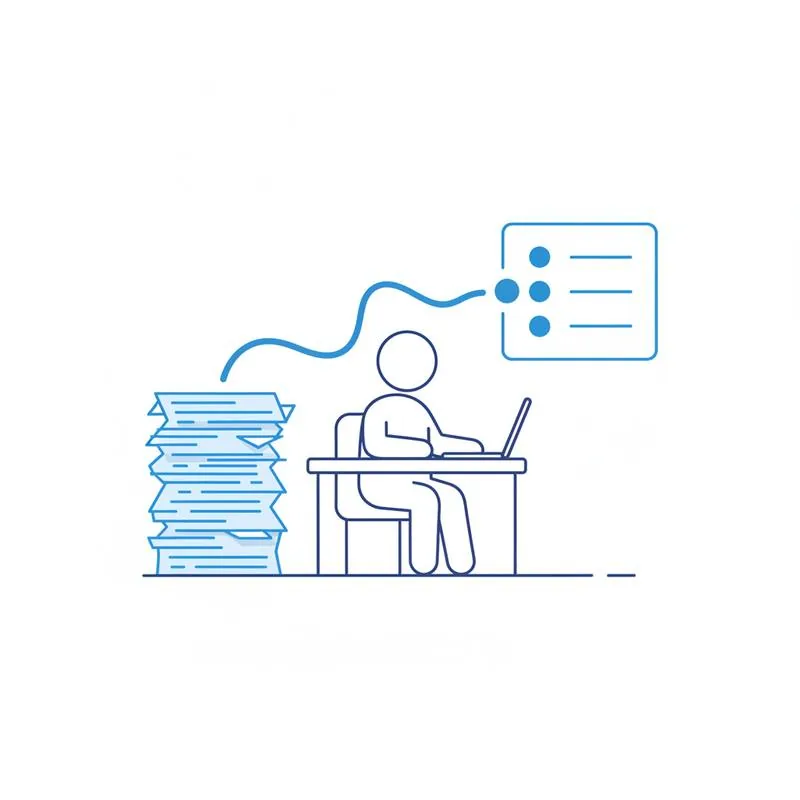
If you're in a graduate program, upper-division course, or preparing a literature review, the math is brutal. Ten papers a week at fifteen pages each is 150 pages of dense academic text - And that's before you factor in the papers you discover inside those papers' reference lists. Most students respond to this pressure in one of two ways: they skim so fast they miss critical details, or they try to read everything carefully and fall weeks behind.
Neither approach is sustainable, and neither is actually necessary. The goal of engaging with research literature is not to have read every sentence - It's to understand what each paper contributes, how it relates to your topic, and whether its findings hold up. That's a job that can be accelerated significantly with the right workflow. PDFBEAR's AI tools, available with a Premium subscription (from $13.99/month or $99.99/year, with a 7-day free trial), are designed precisely for this kind of high-volume, high-stakes reading.
This article walks you through a concrete three-step process for handling a heavy academic reading load - From your first look at an unfamiliar paper through to the notes you'll actually use when writing or studying.
Step 1: Get the Shape of the Paper with Summarize PDF
Before you commit time to reading a paper in depth, you need to know whether it's worth reading in depth. Summarize PDF gives you a condensed version of the paper's argument, key findings, and conclusions in about thirty to sixty seconds. Upload the PDF, and the AI reads the full document and returns a structured summary that covers what the paper is trying to prove, how it goes about proving it, and what conclusions the authors draw.
This is your triage step. After reading the summary, you should be able to answer three questions: Does this paper address my research question? Does it use a methodology I need to understand or critique? Are its findings relevant to the argument I'm building? If the answer to all three is no, you can move on. If even one is yes, you go to Step 2.
Summarize PDF also handles multi-column academic layouts that trip up many other tools. Standard two-column journal formatting, sidebars, footnotes - The tool processes the document structure rather than just the raw text stream, so the summary reflects what the paper actually says rather than a garbled mix of columns read left-to-right across the page.
The two-tool student workflow: Paper → Summarize → Chat → Notes
Step 2: Drill Down with Chat with PDF
Once you know a paper is worth engaging with, Chat with PDF turns it into an interactive resource. Instead of reading the methodology section three times trying to understand a statistical technique, you ask: "What statistical methods did the authors use, and why did they choose them over alternatives?" Instead of hunting through the discussion for the authors' own admissions of weakness, you ask: "What limitations do the authors acknowledge, and what threats to validity did they identify?"
The key to getting useful answers from Chat with PDF is asking specific, targeted questions rather than broad ones. "Tell me about this paper" produces a generic summary. The questions below are the kind that produce genuinely useful answers for academic work:
- On methodology: "What was the sample size, and how were participants recruited?" / "Was this a randomized controlled trial, observational study, or meta-analysis?" / "What instruments or scales did the authors use to measure outcomes?"
- On findings: "What were the three most significant findings?" / "Did any results contradict the authors' hypothesis, and how did they address that?" / "What effect sizes were reported, and are they statistically significant?"
- On limitations: "What do the authors say this study cannot establish?" / "Are there confounding variables the authors acknowledge they could not control for?"
- On relevance to your work: "How does this paper's conclusion compare to [specific claim you're evaluating]?" / "Does this paper cite any work by [author you're tracking]?"
- On citations: "Which earlier studies does this paper build most directly on?" / "What sources do the authors use to support their claim about [specific point]?"
You can also use Chat with PDF to test your own understanding. After reading the summary and asking your standard questions, state your interpretation of the paper's argument in your own words and ask: "Is that an accurate characterization of the paper's main claim?" The AI will flag where your interpretation diverges from what the text actually says - Which is a faster way to catch misreadings than going back to reread the original.
How Much Time Can You Actually Save?
The time savings depend on the paper and what you need from it, but here's a realistic comparison of the workflow with and without AI tools:
For a paper that turns out not to be central to your work, five to eight minutes with Summarize PDF is enough to confirm that and move on. For a paper that is central, twenty-five minutes with both tools plus spot-checking key claims gets you to the same level of understanding as an hour of careful reading - And your notes will be better organized because you extracted exactly what you needed rather than annotating everything. To make the material stick, feed the same paper into the PDF Question Generator and quiz yourself on the sections you just summarized.
Handling Scanned Journal Articles and Older Papers
A significant portion of academic PDFs are not machine-readable. Older papers distributed as page scans, conference proceedings photographed and uploaded, or journal articles printed and rescanned exist only as images embedded in a PDF container. No AI tool can read image pixels as text - They need actual character data to work with.
This is where OCR PDF fits into the workflow. Before uploading a scanned paper to Summarize PDF or Chat with PDF, run it through OCR first. PDFBEAR's OCR tool converts the image pages into a searchable, machine-readable PDF that the AI tools can then process normally. The resulting file also becomes searchable in your PDF viewer, which matters when you're looking for a specific quote to cite later.
You can tell whether a PDF needs OCR quickly: try to select a word in the document. If the selection works and you can copy the text, the PDF is already machine-readable. If clicking and dragging selects nothing or selects a rectangular image region, it's a scan and needs OCR first. Running a scanned paper directly through Summarize PDF without OCR will produce an error or an empty result.
Working with Papers in Other Languages
International research increasingly means encountering important papers published in languages other than English. A key study in your area might exist only in German, French, Mandarin, Japanese, or Portuguese - Or you might find a paper in English that cites a foundational work you can only locate in its original language.
Translate PDF handles this by converting the entire document into English (or another target language) while preserving the PDF layout. Once translated, the document can go through the same two-step workflow: Summarize PDF for the overview, Chat with PDF for targeted questions. This means papers in other languages don't have to be skipped or trusted to an imperfect machine translation of a few paragraphs you copy-paste into a separate tool.
For literature reviews that need to be comprehensive rather than just English-language, this is a meaningful capability. A systematic review that excludes non-English papers introduces a known bias; being able to efficiently process translated papers removes a barrier that previously required either language skills or expensive professional translation.
Step 3: Build Your Own Notes - And Why That Part Still Matters
The workflow described here accelerates reading; it does not replace thinking. The final and essential step is writing your own notes from the AI's responses, not copying those responses into your notes document. This distinction matters for two reasons.
First, AI summaries and answers are starting points for understanding, not citable sources. When you write your literature review or exam answer, you cite the original paper - Not the AI's characterization of it. That means at some point you need to verify that the AI's summary accurately reflects what the paper says, especially for any claim you plan to build on. For central papers, this means spot-checking the AI's answers against the relevant sections of the original. For peripheral papers, the summary alone may be sufficient, but you should note that you're treating it as such.
Second, writing your own notes forces synthesis. When you take what the AI told you about methodology and rephrase it in your own words, you're processing the information rather than storing it. The goal of reading research papers is not to have a file full of summaries - It's to develop an informed position on the literature. That still requires your own thinking, and there's no shortcut for it.
What the two-tool workflow does is eliminate the low-value parts of academic reading: struggling through dense introductions to find the thesis, hunting through discussion sections for limitations, or reading papers that turn out not to be relevant at all. The high-value parts - Understanding what matters, connecting it to your argument, deciding what to trust - Remain yours.
All files you upload to PDFBEAR are processed over HTTPS with no human review. Free-tier files are retained for 14 days from last activity; Premium files are kept for the duration of your subscription. Your research papers stay private.
Start with Summarize PDF on the next paper in your reading list, then try Chat with PDF on one where you need to go deeper. The workflow takes about ten minutes to get used to - And considerably less time than reading every paper from start to finish.
Compare PDF tools
 Continue with Google