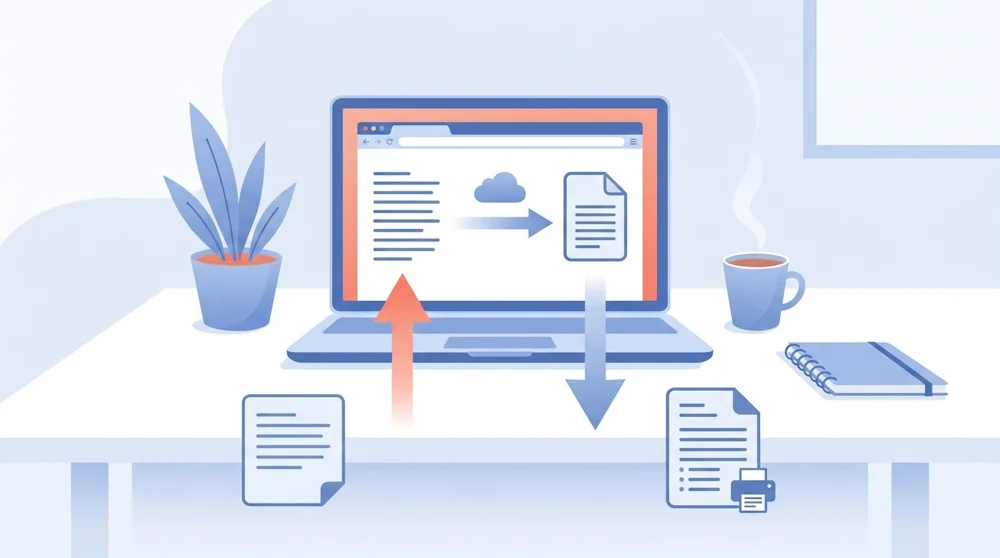
Convert TXT to PDF

Convert plain text TXT files into a tidy PDF online for free.

Secure HTTPS upload - your files stay private and are saved to your file manager.
How to use Convert TXT to PDF

How to convert TXT to PDF

  1. Upload your TXT file or drag it into the box.
  2. Click "Convert" to turn the text into a PDF.
  3. Wait a few seconds while we format your pages.
  4. Download your finished PDF or save it to the cloud.

Why use PDFBEAR for TXT to PDF?

Convert unlimited TXT files free

Convert as many text files as you want with no signup, no fees, and no watermark on your PDF.

Your text files stay protected

Your files travel over a secure HTTPS connection and are auto-deleted from our servers shortly after processing.

Convert TXT from phone or desktop

Use it in any browser on a phone, tablet, laptop, or desktop with nothing to install.

Tidy, print-ready text pages

Your text is laid out with tidy spacing so the PDF is easy to read and ready to print.

TXT becomes PDF in seconds

Most text files become a finished PDF in just a few seconds.

Text-to-PDF entirely online

The whole process runs online in your browser, so there is no software to download.

Convert a plain text TXT file into a tidy, readable PDF online with PDFBEAR

Turn plain text files into a tidy, readable PDF in seconds

A plain .txt file has no margins, no page breaks and no styling, so it looks rough the moment you print or email it. This lays your text onto clean, properly spaced pages and saves it as a PDF that reads well anywhere, from notes to logs to code snippets.


Giving Plain Text a Proper Home

A .txt file is handy for raw notes, but a PDF makes that text easy to read, print, and share without anything shifting around.


Why plain text needs a tidier format

A .txt file is the simplest way to hold words. There is no formatting, no fonts, and no layout, just the raw characters you typed. That makes text files lightweight and easy to edit, but it also means they can look different on every screen, wrap in odd places, and feel a little bare when you need to hand them to someone else.

A PDF fixes that. Converting your text into a PDF gives every line a fixed place on a clean page, so what you see is exactly what the reader gets. It opens the same way on a phone, a laptop, or a printer, which is why a PDF is the friendlier choice for notes, logs, code snippets, or a quick draft you want to share.

Free
no account needed
50 MB
max file size
Seconds
typical convert time

When text to PDF is the right move

Plain text shows up in more places than people expect. Here are a few times this tool comes in handy.

Your text file Why a PDF helps
Meeting or class notes Locks the layout so nothing shifts when shared
Exported chat or logs Makes a long record easy to scroll and print
Code or config snippets Keeps spacing and line breaks exactly in place

If your text started life in a word processor, you may prefer Word to PDF instead, which carries over richer formatting. And once you have your PDF, you can pull the words back out anytime with PDF to Text or stitch several files together using Merge PDF.

Text Layout Tips Before Converting

Plain text is simple, but details still matter. Check the file encoding if you see broken symbols, especially in older exports that may not be UTF-8. Review line breaks, tabs, and spacing too, because a TXT file has no hidden layout engine to clean those up later. The PDF will preserve the visible text flow, so a tidy source file produces a much easier document to read.

Use TXT to PDF for notes, logs, transcripts, code snippets, and other plain files where the words are the main point. If you need fonts, headings, tables, or images, start with Word to PDF, RTF to PDF, or ODT to PDF instead. If the text came from an extracted PDF, review it for repeated headers, page numbers, or hyphenated line breaks before sending the final version.

Plain text, neatly delivered

This converter is free, with no signup and no watermark on your file. Your upload moves over a secure HTTPS connection and is auto-deleted from our servers shortly after your PDF is ready, so nothing stays online longer than it needs to. The 50 MB limit easily covers even very long text documents. In short, turning a TXT file into a PDF takes a bare, unformatted file and hands you a clean, readable page you can confidently print, store, or send to anyone.


TXT to PDF formats, fidelity & use cases

Input formats
TXT
Output format
PDF
Maximum file size
50 MB
Processing time
a few seconds
What is preserved
  • Plain text content
  • Line breaks where possible
  • Basic spacing from the source
  • Readable page flow
  • A lightweight text-only document
What changes
  • Unformatted text becomes fixed PDF pages
  • No editable TXT structure remains
  • Fonts and page margins are applied for reading
  • The result is ready for printing and sharing

Popular use cases

Share notes as a PDF
Print logs or transcripts
Send code snippets with stable line breaks
Archive exported chat text
Create a PDF from a plain draft
Turn lightweight records into a document

TXT to PDF file requirements and limits

Pages handledUp to 500
Free file size50 MB
A .txt file carries no fonts or styling, so the converter chooses the page font and margins itself - the original layout cannot be reproduced because it was never stored in the file.

Common TXT to PDF problems and how to fix them

Why are accented letters, em-dashes or emoji showing as boxes or question marks in my PDF?

Why it happens: The .txt was saved in a non-UTF-8 encoding (like Windows-1252 or Latin-1), or it contains glyphs the rendering font has no character for, so those bytes can't be mapped to letters.

Fix: Re-save the text file as UTF-8 in your editor (in Notepad use File > Save As and pick UTF-8 encoding), then convert again so every character decodes correctly.

Why are my long lines of code or log entries cut off at the right edge of the page?

Why it happens: TXT has no concept of a page width, so any line longer than the printable margin runs past the edge unless it is wrapped, and wrapping breaks the alignment of indented code.

Fix: Add manual line breaks in the source so no single line exceeds about 90 characters, or paste the snippet into a Word document set to landscape and export that instead for wide tables and code. Word to PDF →

My TXT had tabs and aligned columns but they look ragged in the PDF - why?

Why it happens: The PDF is rendered with a proportional font where each character has a different width, so tab stops and space-padded columns no longer line up the way they did in a fixed-width text editor.

Fix: Keep columnar data as a real spreadsheet and export that, which preserves the cell grid instead of relying on spaces and tabs to fake alignment. Excel to PDF →


TXT to PDF vs Notepad / TextEdit Print to PDF

Comparing PDFBEAR's TXT to PDF against opening the file in a built-in text editor and using the system Print dialog's Save as PDF option.

DimensionTXT to PDF (PDFBEAR)Notepad / TextEdit Print to PDF
Formatting fidelityConsistent margins and page flowDepends on editor print settings
Install neededNothing, runs in browserEditor must be installed
SpeedUpload and download onceOpen, print dialog, save steps
File privacyUploaded then deleted afterStays fully on your machine

Who uses TXT to PDF?

Backend developer
Exports a stack trace or server log .txt and turns it into a PDF so the exact lines can be attached to a bug ticket without an editor reflowing them.
Paralegal
Converts a plain-text deposition transcript exported from court software into a paginated PDF that can be bates-stamped and filed.
Genealogist
Saves a researched family-history narrative typed in Notepad as a PDF so distant relatives can read it on any device without losing the line breaks.
Sysadmin
Archives a nightly cron output or config dump captured as .txt into a dated PDF for an audit trail that won't be edited after the fact.
Novelist
Turns a distraction-free plain-text manuscript draft into a clean PDF to send to a beta reader who can't open the writing app's native format.
Customer support lead
Converts an exported chat or email transcript .txt into a PDF to attach as evidence in a refund or complaint case file.

TXT to PDF — Frequently Asked Questions

Yes, the TXT to PDF converter is completely free. There is no signup, no fee, and no watermark added to your finished PDF.

Yes, it is safe. Your text file is uploaded over a secure HTTPS connection and is auto-deleted from our servers shortly after the conversion is done.

The maximum file size is 50 MB per file. That covers even very long plain text documents with room to spare.

No, you do not need to install anything. The converter works entirely in your web browser, so there is no app or plugin to download.

Your words, line breaks, and spacing are laid out neatly on tidy pages. Since TXT files hold plain text, the PDF uses a clean, readable layout for that content.

Yes. The tool works in any browser on phones, tablets, laptops, and desktops, with nothing to install.

No, you can convert TXT to PDF as a guest with no sign-up. A free account is optional and lets you save your converted files.

No, we never add a watermark to your output. The PDF you download is clean and ready to print or share.

Most text files become a finished PDF in just a few seconds.

This tool takes plain text (.txt) files and outputs a PDF file with tidy, readable spacing.

When to use TXT to PDF

A plain .txt file has no margins, no page breaks and no styling, so it looks rough the moment you print or email it.

Best for

  • Share notes as a PDF
  • Print logs or transcripts
  • Send code snippets with stable line breaks
  • Archive exported chat text
  • Create a PDF from a plain draft

Useful next steps

Convert to PDF workflow

Turn documents, spreadsheets, slides, images and web pages into clean PDFs without installing software.

Explore all convert to pdf tools