Compare PDF Files Online

Upload two PDFs and instantly highlight every difference between them

Secure HTTPS upload - your files stay private and are saved to your file manager.

How to Compare Two PDF Files

  1. Upload the first PDF (your original or older version).
  2. Upload the second PDF you want to compare it against.
  3. Let PDFBEAR scan both files and highlight every difference.
  4. Review the marked changes and download or share the comparison.

Why use PDFBEAR for Compare PDF?

Both PDFs Marked Side by Side

PDFBEAR places your two documents together and marks the changed regions, so you never have to flip between windows hunting for edits.

Catches Text and Visual Changes

It detects edited wording, added or removed paragraphs, and shifted images or layout differences that a quick read-through would easily miss.

Built for Contract Redline Reviews

Confirm exactly which clauses were altered between a draft and a final agreement before you put your signature on the dotted line.

Compare PDFs Straight From Your Browser

Compare PDFs straight from your browser on any device. There is nothing to download, and no account is required to get started.

Your Compared Files Stay Confidential

Your two uploaded documents are processed securely and removed automatically after comparison, so sensitive contracts and reports stay confidential.

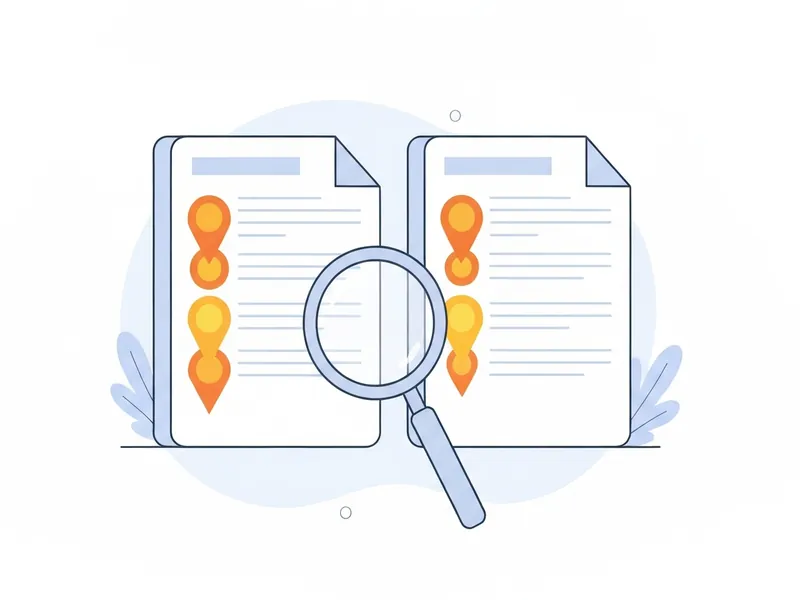
Two PDF documents side by side with highlighted differences compared online using PDFBEAR

Spot every text and visual change between two PDFs in seconds

The PDFBEAR Compare PDF tool lets you upload two PDF documents side by side and instantly highlights every difference between them. From edited paragraphs and deleted clauses to shifted images and layout changes, you see exactly what changed. It is perfect for reviewing contract revisions, proofreading drafts, and confirming the right version before you sign or send.


Compare PDF Files Online and Find Every Difference Instantly

Learn how to compare two PDF documents online with PDFBEAR to spot text edits, layout shifts, and visual changes in seconds without any software.


The Two-Minute Read That Saves a Two-Hour Headache

Picture two contracts that look identical on screen, yet one quietly moved a payment deadline from 30 days to 14. Reading them side by side, line by line, you might catch it. You might also miss it on the third coffee of the afternoon. That single overlooked edit is the kind of thing this tool exists to surface in the time it takes to upload.

2
files in, one diff out
100%
of pages scanned, not skimmed
0
words you have to retype

Numbers like these matter because human attention does not scale. A reviewer reading a 40-page revised agreement is sharp on page one and tired by page twenty, and the changes that slip through tend to be the small ones: a swapped figure, a moved comma, a deleted clause that leaves the surrounding paragraph reading perfectly fine. A machine has no page twenty. It looks at every character on every page with the same flat consistency, and the diff it returns is the same whether the change sits at the top or buried near the signature block.

That is also why comparing works best when both files are genuinely text. If you have only printed copies, run them through Scan to PDF first and then OCR PDF so the words become real, selectable text the comparison can read rather than flat images it cannot.

Where the Honesty of a Clean Diff Pays Off

The value is not really in the seconds saved. It is in the confidence that comes from knowing nothing changed without your knowledge. Vendors send back "lightly revised" terms. Designers return a layout that was supposed to be untouched. A colleague edits a policy and forgets to mention which paragraph. In each case you are not looking for a needle so much as proof that there is no needle at all, and a clean diff gives you exactly that reassurance.

There is a practical workflow worth keeping. Compare first, decide what is real, then act on the result. If a revision is acceptable, lock it down with Protect PDF before it goes back out, so the version everyone agreed on is the version that survives. Treating comparison as the checkpoint before sign-off, rather than an afterthought once something has already gone wrong, turns a defensive habit into a quiet, dependable one.

Is Compare PDF free?

Yes, Compare PDF is completely free with no sign-up, no watermark, and nothing to install. It runs in any browser on any device, and you can compare two files up to 50 MB each. If the files turn out to be the same, you can quickly merge them into one instead.

Are my files safe?

Your files are safe. Both PDFs travel over a secure HTTPS connection, and they are auto-deleted from our servers shortly after we compare them. No human ever reads or stores your documents. If a file holds private details, you can lock it afterward with Protect PDF.


Compare PDF formats, fidelity & use cases

Input formats
PDF
Output format
PDF
Maximum file size
50 MB
Processing time
a few seconds
What is preserved
  • Original wording of both source documents
  • Page order of each uploaded file
  • Images and graphics from both versions
  • Tables and structured content
  • Fonts and formatting for context
What changes
  • Differences are highlighted in the comparison view
  • Only two files can be compared at a time
  • Highly complex scanned layouts may reduce accuracy
  • Output focuses on changes, not editing the source

Popular use cases

Reviewing revised contract clauses before signing
Proofreading edits between draft and final versions
Confirming the latest version of a shared document
Spotting unauthorized changes in agreements
Checking differences between two report versions
Verifying corrections were applied to a manuscript

Compare PDF file requirements and limits

Files per batchUp to 2
Pages handledUp to 300
Free file size50 MB
Comparison reads the text layer of both PDFs, so scanned or image-only documents must be OCR'd first or their changes will not be detected.

Common Compare PDF problems and how to fix them

Why does the tool say everything changed when I only edited one line?

Why it happens: One version was re-exported with a different font, margin, or line-wrapping setting, so the text reflows and every line lands at a new position even though the words are nearly identical.

Fix: Re-export both files from the same source application with matching page size and margins, then compare again so only the real edits stand out.

Why are no differences found between two clearly different scanned contracts?

Why it happens: Both PDFs are scanned images with no underlying text layer, so there is no extractable text to diff and the comparison falls back to a near-identical visual layer.

Fix: Run both files through OCR to add a searchable text layer, then upload the OCR'd versions to Compare PDF. OCR PDF →

Why can't I add a third PDF to the comparison?

Why it happens: The diff engine aligns content pairwise, so it compares exactly two documents at a time and a third upload has no counterpart to be measured against.

Fix: Compare the files in pairs (version 1 vs 2, then 2 vs 3); if you only need to combine them, merge the documents instead. Merge PDF →


Compare PDF vs Reading both PDFs side by side on screen

Comparing this tool to manually opening both PDF versions in two windows and eyeballing them page by page for differences.

DimensionCompare PDF (PDFBEAR)Reading both PDFs side by side on screen
SpeedHighlights all changes in secondsSlow manual line-by-line scan
Formatting fidelityFlags shifted images and layoutSubtle moves easily missed by eye
Install neededRuns in the browserNeeds a PDF viewer open twice
CostFree to useFree but costs your time

Who uses Compare PDF?

Contract attorney
Pulls up the previous and redlined draft of a settlement agreement to confirm which clauses opposing counsel quietly reworded before signing.
Book editor
Lines up the author's submitted manuscript against the copyedited PDF to verify every correction was actually applied and nothing new was introduced.
Procurement officer
Compares a returned vendor quote PDF against the original RFP terms to catch silent changes to pricing, delivery dates, or liability language.
QA documentation specialist
Diffs last release's user manual against the new build's PDF to flag exactly which instructions and screenshots changed for the changelog.
Grant administrator
Checks a resubmitted grant proposal against the prior version to confirm reviewers' required budget and scope edits were made before re-submission.
Translator/localization reviewer
Sets the previous translated PDF beside the updated source document to see which paragraphs were added or revised and therefore need re-translation.

Compare PDF — Frequently Asked Questions

Upload your first PDF, then upload the second PDF you want to compare it against. PDFBEAR scans both and highlights every difference for you to review.

The Compare PDF tool is designed for two files at a time so the differences stay clear and accurate. Compare them in pairs if you have several versions.

Yes. Besides text edits, the tool flags shifted images, altered tables, and layout differences between the two documents so visual changes are not missed.

Yes, comparing PDFs on PDFBEAR is completely free. There are no hidden charges and no subscription required to use the tool.

No. The tool runs entirely in your web browser, so there is nothing to download or install on your computer or phone.

Yes. Your uploaded files are processed securely and automatically deleted after comparison, so confidential contracts and reports stay protected.

It highlights added text, deleted text, rewritten passages, moved images, and layout shifts, giving you a full picture of what changed between versions.

Each PDF can be up to 50 MB. For very large documents, consider splitting or compressing them before comparing.

No. The tool only reads your two PDFs to find differences. Your original documents remain untouched and unchanged.

Absolutely. PDFBEAR works in any modern mobile browser, so you can compare PDFs on the go from a phone or tablet.

No. You can compare two PDFs as a guest with no signup. A free account is optional and only there to save your files.

No. The tool only reads your two PDFs to highlight differences; it never alters your originals or adds any watermark.

Most comparisons finish in just a few seconds, after which the highlighted differences are ready for you to review.

When to use Compare PDF

The PDFBEAR Compare PDF tool lets you upload two PDF documents side by side and instantly highlights every difference between them.

Best for

  • Reviewing revised contract clauses before signing
  • Proofreading edits between draft and final versions
  • Confirming the latest version of a shared document
  • Spotting unauthorized changes in agreements
  • Checking differences between two report versions

Useful next steps

Optimize PDF workflow

Improve a PDF before delivery by reducing file size, fixing damaged files, making scans searchable and locking final page content.

Explore all optimize pdf tools