PDFBEAR's AI tools let you ask plain-English questions about any contract and get back the exact dates and numbers you need - In seconds, not hours.
- Use Chat with PDF to ask targeted questions like "When does this contract expire?" and get instant answers with page references.
- Use Summarize PDF to extract a structured overview of payment terms, penalties, and key milestones in one click.
- Prompt engineering matters - Specific, direct questions outperform vague ones when interrogating contracts.
- Always cross-check AI-extracted figures against the original PDF text before signing or acting on them.
Stop hunting through 40-page contracts. Ask PDFBEAR's AI tools what you need and get the answer instantly.
Why Contracts Are Notoriously Hard to Read
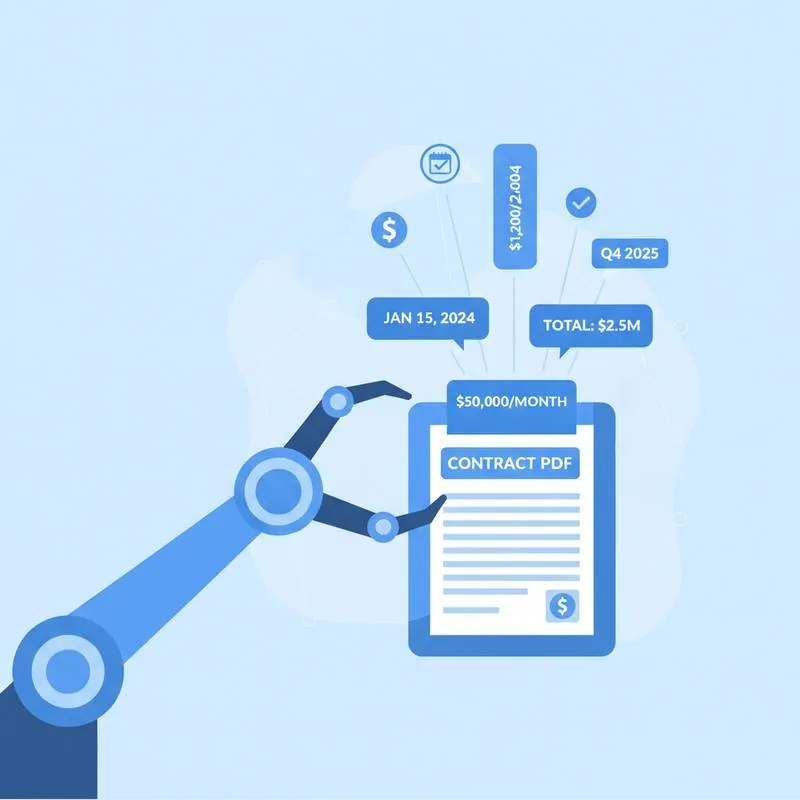
Contracts are designed by lawyers to be airtight, not readable. A standard vendor agreement, commercial lease, or employment contract can run anywhere from 10 to 80 pages, with critical numbers and dates scattered across clauses, schedules, and annexures. The effective date might appear in the preamble. The renewal deadline could be buried in Section 14(b)(iii). Payment penalties might only appear in an appendix on page 47.
For anyone without a legal background - And even for those with one - Manually reviewing a contract for key figures is time-consuming, error-prone, and genuinely stressful. Miss a renewal window by a day and you're locked in for another year. Overlook a late-payment penalty clause and a minor cash-flow hiccup turns into a five-figure problem.
AI changes this entirely. PDFBEAR's Chat with PDF and Summarize PDF tools allow you to interact with your contract as if you were asking a knowledgeable assistant who has read every page. This guide walks you through exactly how to do it, including the prompts that work best and the pitfalls to avoid.
The Two PDFBEAR AI Tools You Need for Contracts
PDFBEAR offers 50+ free PDF tools in the browser, but for contract analysis two AI-powered tools are especially relevant. Both are available with a Premium subscription ($13.99/month or $99.99/year, with a 7-day free trial).
Chat with PDF works like a conversation. You upload your contract, then type questions in plain English. The AI reads the full document, locates the relevant sections, and gives you a direct answer - Usually with a page or clause reference so you can verify it. It's ideal for targeted extraction: "What is the penalty for late payment?" or "List every date mentioned in this agreement."
Summarize PDF gives you a structured overview of the whole document. For contracts, this is invaluable as a first pass - It surfaces the parties, the subject matter, the term length, and the most important obligations. You can then use Chat with PDF to drill into anything the summary flags.
Both tools run entirely in your browser over HTTPS. PDFBEAR does not perform human review of uploaded files. Free-tier files are retained for 14 days from last activity; Premium files are kept for the duration of your subscription.
Workflow: From Upload to Extracted Data in Under 5 Minutes
Step 1 - Upload your contract.
Go to PDFBEAR Chat with PDF or Summarize PDF. Drag your contract file onto the upload area or click to browse. PDFBEAR accepts standard PDF files up to your plan's size limit. No installation required.
Step 2 - Run a summary first.
If this is your first read-through of the contract, start with Summarize PDF. The AI will produce a structured breakdown covering the parties, the core subject matter, key obligations, and the contract term. This gives you a map before you start drilling down.
Step 3 - Use Chat with PDF for targeted extraction.
Switch to Chat with PDF and start asking specific questions. The AI will return answers with references to the relevant sections, so you can always verify.
Step 4 - Verify before acting.
Treat AI-extracted data as a fast first pass, not a final source of truth. Once the AI tells you a date or number, locate it in the PDF itself and confirm the context. This takes 30 seconds and is always worth doing.
The Prompts That Actually Work (Copy and Paste These)
The quality of your output from Chat with PDF depends heavily on how you phrase your questions. Vague inputs produce vague answers. Here are proven prompt patterns for the most common contract data points:
For dates
- "What is the effective date of this agreement?"
- "When does this contract expire or terminate?"
- "Is there an auto-renewal clause? If so, how many days' notice is required to cancel?"
- "List every deadline or notice period mentioned in this contract."
- "What are the payment due dates specified in this agreement?"
For dollar amounts and financial terms
- "What is the total contract value or fee?"
- "What percentage or dollar amount is the late payment penalty?"
- "Are there any minimum purchase commitments or volume thresholds?"
- "What is the liability cap in this contract?"
- "List all fees, charges, or costs mentioned, with their amounts."
For structured extraction
- "Summarise this contract in a table with columns: Clause, Key Date or Number, Page Reference."
- "What are the five most important dates or deadlines I should put in my calendar?"
- "If I miss a deadline in this contract, what are the financial consequences?"
Notice the pattern: the best prompts are specific, use the exact terminology contracts typically use ("effective date," "auto-renewal," "liability cap"), and ask for one thing at a time. If you need a comprehensive extraction, break it into several focused questions rather than one giant prompt.
Common Contract Elements and Where AI Finds Them
Different types of contracts hide their key figures in different places. Here's what to ask for - And what to watch out for - Across the most common contract types:
Service Agreements / MSAs - Focus on: payment terms (Net 30? Net 60?), late fees (often expressed as a monthly percentage, e.g. 1.5% per month), termination for convenience notice periods (30, 60, or 90 days is common), and liability caps (often expressed as a multiple of fees paid in the preceding 12 months). Ask Chat with PDF: "What is the notice period required to terminate this agreement for convenience?"
Commercial Leases - Focus on: commencement date, expiry date, rent review dates (often annually), option to renew windows (you may need to notify 6–12 months before expiry), and permitted use restrictions. Ask: "What are the rent review dates and how is the new rent calculated?" and "When and how must I exercise my option to renew?"
Employment Contracts - Focus on: start date, probation period length, notice period (and whether it differs between employee and employer), non-compete duration, and salary review schedule. Ask: "What is the non-compete or non-solicitation period after termination?"
Vendor / Supply Agreements - Focus on: minimum order quantities, price adjustment clauses (often tied to a CPI index), warranty periods, and penalty clauses for delivery failures. Ask: "Are there any price escalation clauses? How is the price adjustment calculated?"
Troubleshooting: When AI Gets It Wrong (and How to Fix It)
AI tools are remarkably capable, but they're not infallible. Here's what to watch for when using Chat with PDF on contracts:
Scanned PDFs without OCR.
If your contract was scanned as an image rather than saved as a text-layer PDF, the AI may not be able to read it properly. PDFBEAR's OCR PDF tool (also Premium) can convert scanned pages to searchable text before you run the AI analysis. Upload the OCR-processed version for best results.
Defined terms vs. real values.
Contracts frequently define a term early on and then use that term throughout. For example, "the Fee shall be $8,500 per month (the 'Monthly Fee')" - And later clauses just say "the Monthly Fee." The AI generally handles this well, but if you get an answer like "the Monthly Fee" without a dollar figure, ask the follow-up: "What is the actual dollar value of the Monthly Fee as defined in this contract?"
Conflicting provisions.
Sometimes a contract has a standard clause in the body and a contradictory provision in a schedule or amendment. If an AI answer seems surprising, ask: "Are there any other provisions in this contract that modify or override this clause?"
Ambiguous dates.
If a contract says something like "60 days from the Commencement Date," the AI will tell you the formula but may not calculate the resulting calendar date. Prompt: "The commencement date is [date you know]. What is 60 days from that date?" or calculate it yourself.
When in doubt, always locate the clause in the original PDF and read the surrounding context. The Chat with PDF tool typically references the page number, making verification fast.
Building a Contract Review Habit with PDFBEAR
The most effective approach isn't to use AI once and move on - It's to build a repeatable workflow. Here's a simple system you can follow every time a new contract lands in your inbox:
- Upload to Summarize PDF for a 60-second structural overview. Note any sections that need closer attention.
- Open Chat with PDF and run through your standard checklist of questions: effective date, expiry, renewal window, notice periods, payment terms, penalty clauses, liability cap.
- Copy the AI answers into a simple table - Date, clause reference, value. This becomes your contract fact sheet.
- Spot-check 3–5 of the extracted figures against the PDF source text.
- Add all critical dates to your calendar with reminders 30 and 60 days in advance.
This whole process typically takes under 10 minutes for a standard 20–30 page contract. Compare that to an hour or more of manual reading, and the productivity case is obvious. PDFBEAR's AI tools don't replace legal advice for high-stakes agreements - But they give you the situational awareness to know what questions to ask your lawyer, and they eliminate the risk of a critical date slipping through the cracks.
Ready to try it? Upload your first contract at PDFBEAR Chat with PDF - No install, no watermark, works entirely in your browser.
Compare PDF tools
 Continue with Google