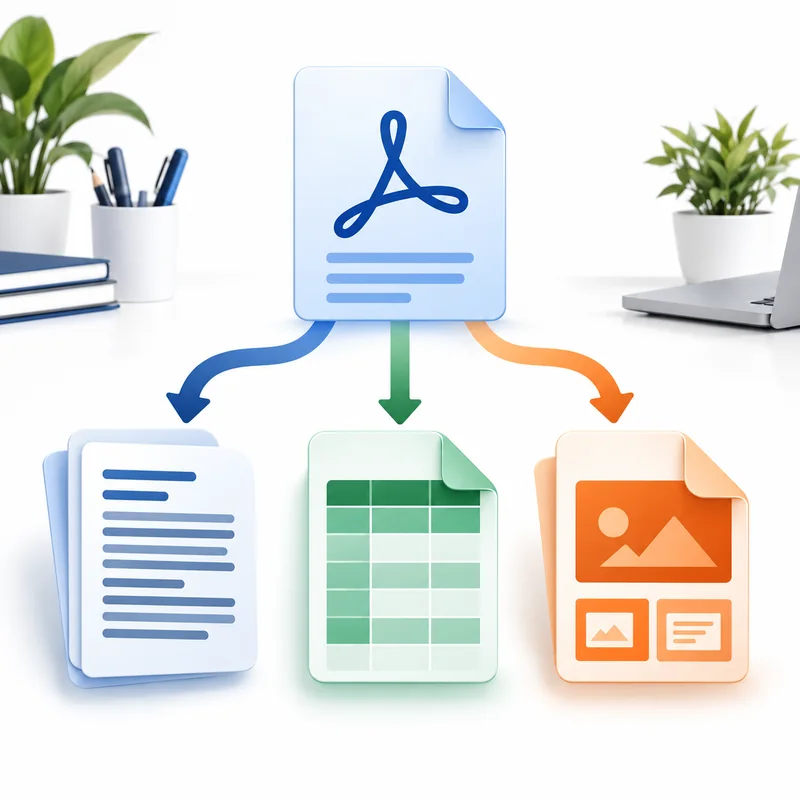
Choose ODT for Writer text, ODS for Calc tables or ODP for Impress slides without treating OpenDocument as one generic output.
- OpenDocument is a family, not one universal file type: ODT, ODS and ODP share the OpenDocument standard but represent different application models.
- Choose ODT when paragraphs are the working material: ODT is the right destination for reports, letters, policies, resumes, contracts and manuscripts that need to continue in LibreOffice Writer or OpenOffice Writer.
- Choose ODS when values belong in rows and columns: ODS is for schedules, inventories, price lists and report tables that need sorting, calculation or cell-level correction in LibreOffice Calc.
Use these checks before completing ODT, ODS and ODP Explained for PDF Conversion.
OpenDocument is a family, not one universal file type
ODT, ODS and ODP share the OpenDocument standard but represent different application models. ODT is a text document, ODS is a spreadsheet and ODP is a presentation. Choosing by content purpose produces a more useful result than choosing by a familiar-looking extension.
The PDF to OpenDocument guide keeps those routes together without inventing a generic PDF-to-ODF converter. The .odf extension has a specific formula-document meaning, so it should not be used as shorthand for every member of the family.
Choose ODT when paragraphs are the working material
ODT is the right destination for reports, letters, policies, resumes, contracts and manuscripts that need to continue in LibreOffice Writer or OpenOffice Writer. It can carry paragraphs, headings, lists, basic tables and images in a document designed to reflow.
Use PDF to ODT when the important action is rewriting text. Standard conversion is free, and scanned pages can be recognized with included OCR. A fixed PDF and a flowing ODT organize content differently, so multi-column layouts and precisely positioned labels may require review.
Choose ODS when values belong in rows and columns
ODS is for schedules, inventories, price lists and report tables that need sorting, calculation or cell-level correction in LibreOffice Calc. A PDF does not preserve the original workbook formulas or data model, so conversion reconstructs visible rows, columns and values rather than recovering hidden spreadsheet logic.
Use PDF to ODS for detectable tables. Clear borders and consistent columns convert more reliably than irregular layouts or merged headers. Scanned tables require OCR and structural interpretation, and important decimals, dates and leading zeros should always be checked against the source.
Choose ODP when pages must become a slide deck
ODP is the presentation destination for LibreOffice Impress or OpenOffice Impress. It is useful when PDF pages need to be rearranged into a deck, supplemented with new slides or presented inside an OpenDocument workflow.
Use PDF to ODP for presentation intent. A PDF contains the visible state of a page but not the original transitions, animations, speaker notes or master-slide logic. Those features must be created again in Impress after conversion.
The visible source determines how much can be reconstructed
Digital text, clear tables and simple page structures provide stronger conversion signals than scans or decorative fixed layouts. OCR can recognize words, but it cannot restore formulas that are not printed, animation timelines that were removed or semantic headings that were flattened into artwork.
After editing, the reverse tools create fixed sharing copies: ODT to PDF, ODS to PDF and ODP to PDF. Keep the editable OpenDocument source alongside the final PDF so later changes do not require another round of reconstruction.
Decision table for ODT, ODS and ODP Explained for PDF Conversion
| Checkpoint | What to verify |
|---|---|
| OpenDocument is a family, not one universal file type | ODT, ODS and ODP share the OpenDocument standard but represent different application models. |
| Choose ODT when paragraphs are the working material | ODT is the right destination for reports, letters, policies, resumes, contracts and manuscripts that need to continue in LibreOffice Writer or OpenOffice Writer. |
| Choose ODS when values belong in rows and columns | ODS is for schedules, inventories, price lists and report tables that need sorting, calculation or cell-level correction in LibreOffice Calc. |
| Choose ODP when pages must become a slide deck | ODP is the presentation destination for LibreOffice Impress or OpenOffice Impress. |
Select the correct OpenDocument output
- Identify whether the useful PDF content is prose, tabular data or slide material.
- Choose ODT for Writer, ODS for Calc or ODP for Impress.
- Convert the PDF and review the structures that matter to that application.
- Save the editable source before exporting a final PDF for distribution.
Workflow graph for ODT, ODS and ODP Explained for PDF Conversion
Review form for ODT, ODS and ODP Explained for PDF Conversion
Questions about ODT, ODS and ODP Explained for PDF Conversion
Is ODF the same thing as ODT?
No. ODF commonly names the OpenDocument family, while ODT is specifically its text-document format.
Can a single PDF contain content for more than one output?
Yes. Choose the format that matches the primary work, or extract table and slide material separately when different teams need different models.
Which applications open these files?
LibreOffice and OpenOffice support ODT in Writer, ODS in Calc and ODP in Impress. Other office suites may support some features with differences.
 Continue with Google