
Free onlineform buildermade for responses.
PDFBEAR is a free online form builder for contact forms, lead generation, registrations, applications, surveys, appointment requests and client intake.Customize the questions and design, publish one mobile-friendly link, track conversions, and manage every response in a private lead inbox.
Create online forms that
collect useful responses.
Add the fields you need, choose a classic, multipage or conversational layout, and make the form easy to complete on any screen. Each submission keeps its answers, source and campaign context together.
See what happens after submitOnline form templates
for every goal.
Contact Form
Event Registration
Client Intake Form
Appointment Request
Job Application
Customer Feedback
Choose an editable online form template.
Start with a contact form, intake form, registration form, RSVP, application, survey or lead generation template. Each option includes a purpose-built question flow, and every field, label and design choice can be edited.
Need something more specific? Browse the full library, describe your form to AI, or begin with a blank page.
Explore all form templates
Made to feel human,
even when you are not in the room.
Share forms wherever
your audience is.
Drop a clean link into your Instagram or TikTok bio, send it in a DM, add it to an email, print it as a QR code, or place it on your site.
- InstagramTracked
- TikTokTracked
- Website & emailTracked
Campaign links keep the source attached to the response, so you know what is actually working.
Build, publish and manage
forms in one place.
These are real PDFBEAR screens: the editor your team uses, the experience your audience sees, and the inbox where responses become useful leads.
Try the form builder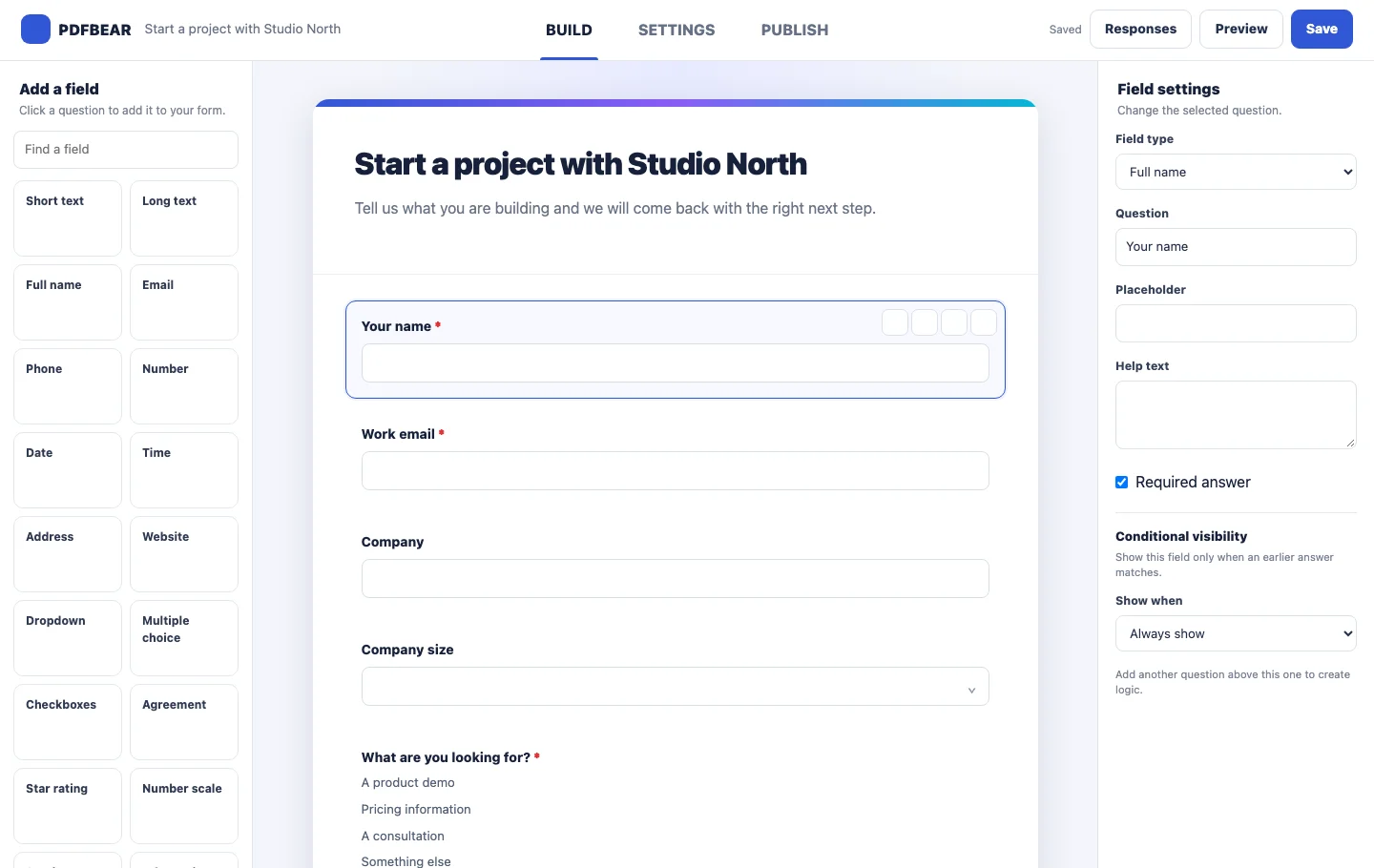
Build and customize online form fields.
Add fields, reorder questions, edit labels, require answers and apply conditional visibility while seeing the form take shape.
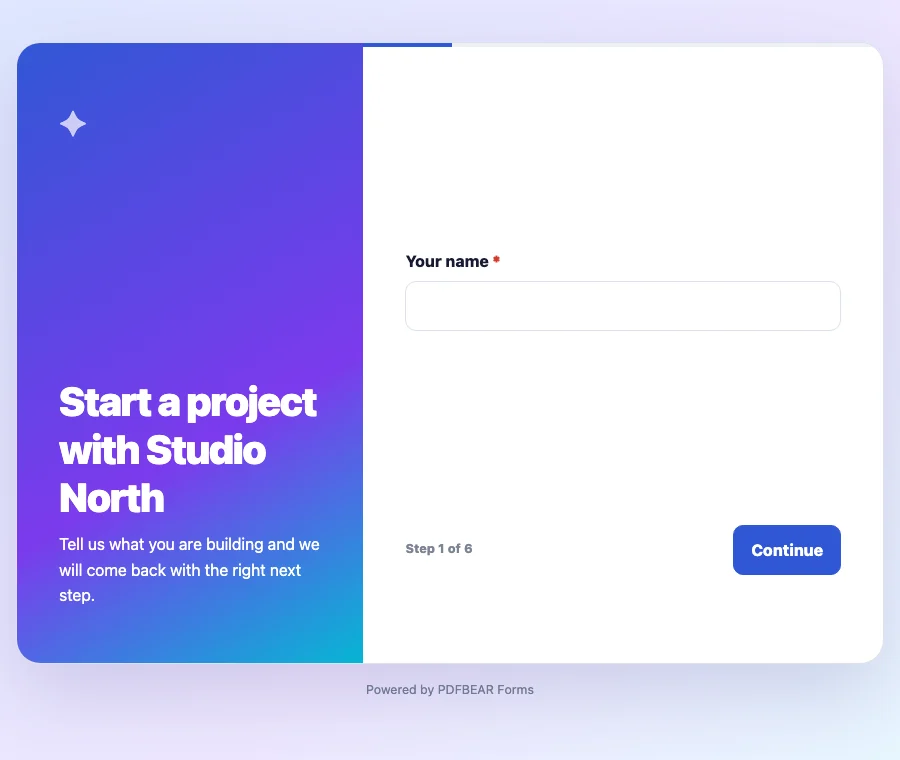
Publish mobile-friendly conversational forms.
Use a classic form, divide longer forms into pages, or show one focused question at a time with a conversational layout.
Explore form styles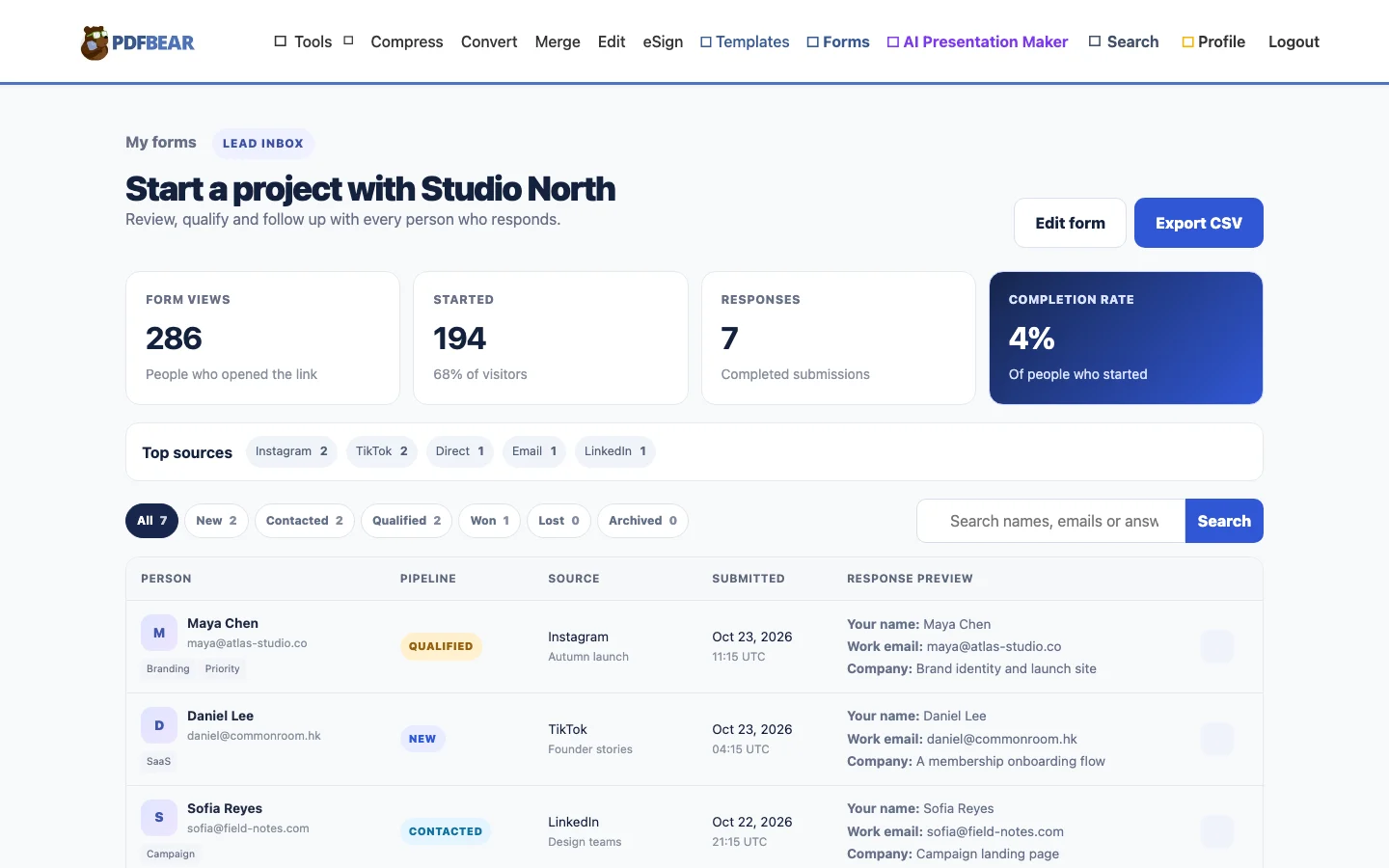
Track form conversions and lead sources.
Measure views, starts and completed responses. Keep source attribution with each lead, add notes and tags, and export the data you need.
Build your lead inboxForm analytics and lead management built in.
See performance, understand intent, and take the next step without turning your form tool into a second job.
ResponsesLast 7 days
View reportMonTueWedThuFriSatSun
Top sourcesWhere leads arrive
- Instagram42%
- TikTok31%
- Direct18%
- Email9%
9:41•••
2 of 5
What would make this project a win?
Use conversational or multipage forms.
Show one question at a time or divide a longer form into clear pages with progress and back or continue navigation.
AM
Alex Morganalex@studio.co
QualifiedSource InstagramCampaignFall launch
Send the project deck on Monday and ask about their launch date.
Manage responses in a private lead inbox.
Search submissions, add tags and private notes, and move each response from New to Won without losing its original answers or source.
How to create and share
an online form.
Create and customize the form
Choose an online form template or start with a blank form. Edit the questions, layout, design, validation and response settings.
Publish and share the form link
Publish a mobile-friendly link for your website, email, Instagram, TikTok or QR code. Create tracked links for individual campaigns.
Track and manage responses
Review views, starts, completion rate, sources and submissions. Qualify leads, add notes, or export responses to CSV.
When to use an online form builder.
Use an online form when people need to submit information from a browser and you want every response collected in one account. The published link works across desktop and mobile without asking the respondent to download or return a file.
Use an online form for responses and leads
- Contact requests and lead generation
- Client intake and appointment requests
- Event registrations and RSVPs
- Applications, surveys and feedback
Use a fillable PDF for document workflows
A fillable PDF is a better choice when the respondent needs a downloadable document, a fixed page layout, offline completion or a file that can be signed and returned.
Browse free fillable PDF templatesOnline form builder frequently asked questions.
What is an online form builder?
An online form builder is a web tool for creating questions and collecting responses through a shareable link. PDFBEAR lets you customize fields and design, publish the form, and manage submissions in one workspace.
Can I create an online form for free?
Yes. Create a free PDFBEAR account, choose a template or blank form, customize it, and publish a shareable form link.
Can I share a form on Instagram or TikTok?
Yes. Add the published form link to a social profile, post, message or campaign. Tracked links can keep the source and campaign attached to each response.
What types of online forms can I create?
You can create contact forms, lead generation forms, event registrations, appointment requests, client intake forms, applications, surveys, order requests and other custom forms.
How are form responses managed?
Responses appear in a private lead inbox with source attribution, pipeline status, tags and notes. You can search submissions and export the response data to CSV.
Create your first
online form for free.
Create your first PDFBEAR form, make it unmistakably yours, and share it in minutes.
Build my form Continue with Google