PDF "protection" covers three distinct mechanisms: an open password that blocks access entirely, a permissions password that restricts what readers can do, and an encryption cipher that determines how hard the lock is to crack.
- An open password (user password) prevents anyone without the code from even opening the file.
- A permissions password (owner password) lets the file open freely but blocks printing, copying text, or editing content.
- Encryption level - From outdated 40-bit RC4 to modern 256-bit AES - Controls how resistant the lock is to brute-force attacks.
- PDFBEAR applies 256-bit AES encryption and lets you set both password types in one step, free, in your browser.
Understanding which layer you actually need saves you from false security - And stops you from locking colleagues out of files they should be able to open.
Why "Password-Protecting a PDF" Means Three Different Things
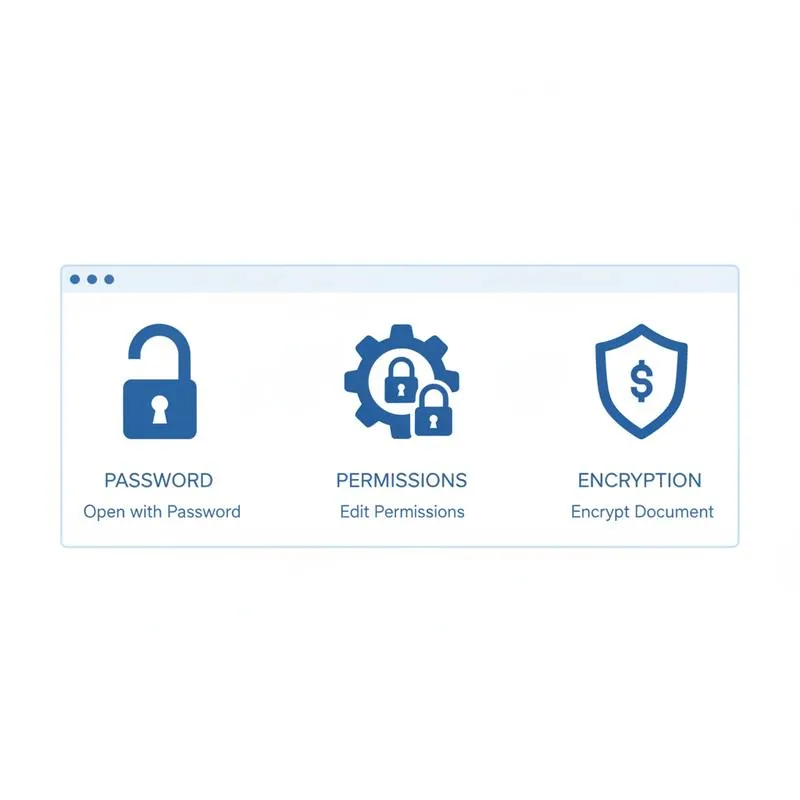
Open any article about PDF security and you will see "password-protect your PDF" used as if it means one thing. It does not. The PDF specification defines two entirely separate passwords and leaves the encryption algorithm as a third, independent variable. Getting these mixed up is how people end up with documents that anyone can open but nobody can edit - When they actually needed the reverse - Or files that are "encrypted" with an algorithm a laptop can crack in minutes.
This guide breaks each layer apart, explains when each one matters, and shows you how PDFBEAR's Protect PDF tool applies all three in a single upload.
Layer 1 - The Open Password (User Password)
The open password, sometimes called the user password, is the gate at the door. When set, the PDF viewer demands this code before rendering a single page. Without it, the file appears as garbled bytes. This is the protection most people picture when they say "password-protect a PDF."
Use an open password when:
- You are emailing a contract, tax document, or ID scan to someone and want to verify they are the intended recipient before they can read it.
- You are distributing a paid report or course material and want to ensure only purchasers access the content.
- You are storing sensitive archives on a shared drive and want an extra barrier beyond folder permissions.
The open password's strength depends entirely on the encryption cipher behind it (see Layer 3). A strong 20-character open password protected by weak 40-bit RC4 is far less secure than a modest 10-character password backed by 256-bit AES.
Layer 2 - The Permissions Password (Owner Password)
The permissions password, also called the owner password, works very differently. A file protected with only a permissions password opens without any code at all - Anyone can view it. What changes is what they can do after opening it.
The PDF specification lets the owner restrict any combination of the following:
- Printing - Can be disabled entirely or limited to low-resolution output.
- Copying text and graphics - Disables copy-paste from the document.
- Editing or annotating - Blocks form filling, annotation, and content changes.
- Document assembly - Prevents inserting, deleting, or rotating pages.
Use a permissions password when you are distributing a read-only report, a proposal, or a form you want filled in but not redesigned. It is worth noting that permissions restrictions are enforced by the PDF viewer's good-faith compliance - Sophisticated users with the right software can bypass them. For truly sensitive content, combine permissions restrictions with an open password.
If you need to remove these restrictions from a file you have legitimate access to, PDFBEAR's Unlock PDF tool strips permissions passwords instantly.
Layer 3 - Encryption Level
Both password types are only as strong as the encryption algorithm scrambling the data. The PDF standard has evolved through several cipher generations:
| Encryption Standard | PDF Version | Key Length | Status |
|---|---|---|---|
| RC4 40-bit | 1.1–1.3 | 40 bits | Broken - Avoid |
| RC4 128-bit | 1.4–1.5 | 128 bits | Weak - Legacy only |
| AES 128-bit | 1.6 | 128 bits | Acceptable |
| AES 256-bit | 1.7 ext. 3 / 2.0 | 256 bits | Recommended |
40-bit RC4 was crackable with 1990s hardware. 128-bit AES is still used by many online tools and is adequate for most business use cases. 256-bit AES (the modern standard used by PDFBEAR) is the same cipher length used to protect classified government documents and financial transactions - Brute-forcing a strong password protected by AES-256 is computationally infeasible.
Which Protection Should You Use?
There is no single right answer, but the following guide covers most real-world scenarios:
| Scenario | Open Password | Permissions Password |
|---|---|---|
| Sending a contract to a client | Yes - Share code separately | Optional (prevent editing) |
| Publishing a read-only report | No | Yes - Disable print/copy |
| Distributing a fillable form | No | Yes - Allow forms only |
| Archiving tax or legal documents | Yes | Yes - Both layers |
| Sending a paid digital product | Yes | Yes - Disable copy/print |
How to Protect a PDF with PDFBEAR
PDFBEAR's Protect PDF tool handles open passwords, permissions restrictions, and AES-256 encryption in one upload. No software installation, no account required for basic use, and your file is processed over an HTTPS-encrypted connection with no human review. Free files are retained for 14 days from last activity.
- Go to Protect PDF and upload your document.
- Enter an open password if you want to block access to the file.
- Set permissions restrictions if you want to allow viewing but prevent printing, copying, or editing.
- Click Protect PDF - Your AES-256 encrypted file downloads immediately.
If you receive a protected file you own and need to remove the password, Unlock PDF handles that in the same streamlined browser-based flow. No desktop app, no watermark, no subscription required for standard use.
A Word on Password Strength
Even AES-256 encryption is only as secure as the password chosen. A six-character dictionary word is trivially cracked by modern hardware regardless of the cipher. A secure PDF password should be at least 12 characters, mix uppercase, lowercase, digits, and symbols, and be unique to that document. If you need to share the password with a recipient, send it through a different channel from the file - Never in the same email.
PDFBEAR transmits and processes your file over HTTPS and never stores your password. After the 14-day retention window closes (or immediately on deletion), both the file and any processing artefacts are removed from our servers.
Compare PDF tools
 Continue with Google