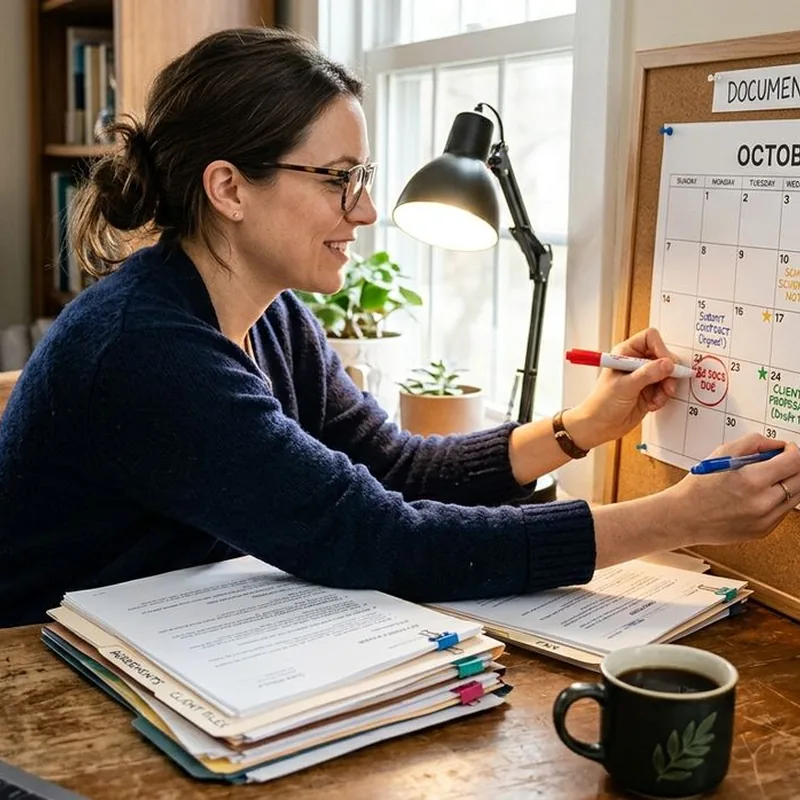
You have a contract due Friday. A compliance report needs to be finalized by noon Thursday. Three forms are sitting half-converted in your downloads folder, waiting for your signature. Your phone buzzes every two minutes, and somewhere in that noise is a reminder you set last week. You swipe it away without reading it. Sound familiar? This is the daily reality for anyone working with documents under real pressure, and it is why a printed calendar on your desk can outperform every app on your phone.
Key Takeaways:
- Digital calendar alerts are easy to dismiss, while a physical calendar stays visible all day without competing for attention
- Writing a deadline by hand creates a stronger mental commitment than entering it into an app
- Blocking time slots for conversions, reviews, and submissions prevents overbooking a document-heavy week
- Research on time management supports externalizing task lists as a way to reduce cognitive load and increase follow-through
- A printed weekly layout gives you an honest view of the entire week at once, not just the next alert
Why Digital Calendars Fail Under Deadline Pressure
Digital tools are genuinely impressive. They sync across devices, fire reminders, and can repeat indefinitely. But they have one structural problem: they compete with everything else on your screen.
Every app on your phone is designed to pull attention. When a document deadline reminder fires at 9 a.m., it is competing with an unread email, a chat notification, and the browser tabs already open. It gets swiped away in a fraction of a second. The deadline is still real. The reminder is already gone.
There is also the quiet illusion of control that digital calendars create. The moment you type a task into a scheduling app, it feels handled. The stress eases. But that entry is sitting behind a lock screen you will not look at again until the tool decides to remind you, and you will probably dismiss that too.
A paper calendar does not offer that escape. A handwritten deadline written in the box for Thursday does not minimize or hide. Every time you sit down at your desk, it is there. That constant, low-level visibility is not annoying. It is useful.
What Research Says About Writing Deadlines Down
The case for writing things down is not productivity mythology. According to research covered in the time management entry on Wikipedia, offloading tasks to an external system reduces cognitive load by freeing working memory for actual execution rather than tracking. When you hold deadlines in your head, you spend mental energy monitoring them instead of completing them.
This principle matters especially for document-heavy work. If you are managing PDFs at multiple stages, whether they are being converted, edited, reviewed, approved, or submitted, keeping track of where each one stands demands a system that is not fighting for attention alongside your email and social feeds. A physical calendar does not compete. It simply shows you the current state of your week.
The act of writing also changes how your brain processes a deadline. Physical writing is slower than typing, which is exactly the point. That small friction forces you to engage with what you are recording. You are not logging data. You are making a commitment.
How to Plan a Document-Heavy Week by Hand
Setting up a paper schedule for a week full of document deadlines takes about ten minutes and pays off across the entire week. Here is a practical method:
- List every document task you have for the week without filtering. Include file conversions, draft reviews, approval requests, e-signatures, and final submissions.
- Assign each task a realistic time estimate. A PDF conversion takes a few minutes. A legal review might need two hours. An approval from a third party might require waiting time built in.
- Open a printed weekly planner layout and block specific time slots for each task, working honestly against your actual available hours.
- Mark hard deadlines in a different color or with an underline so they read as fixed anchors that everything else schedules around.
- Add buffer between major tasks. Document work almost always takes longer than expected once revisions, corrections, or file compatibility issues surface.
The reason this approach works better than a digital calendar is the space constraint. A printed weekly grid is finite. You cannot stack infinite tasks into a paper layout without immediately seeing that you are overbooked. The page tells you the truth. A phone app will let you schedule yourself into the ground and never warn you.
The Real Gap Between Visible and Buried
When a deadline lives in an app, you think about it only when the app tells you to. When it is written on a calendar in front of you, you are aware of it all day in a background way that keeps the urgency alive without creating panic.
Here are the specific things a desk calendar does that a phone reminder cannot:
- It shows multiple deadlines simultaneously so you can see how they relate to each other across the week without switching views
- It requires no login, charge, or internet connection to stay accessible
- It is not associated with anything else, no ads, no badges, no social feeds, just your actual priorities
- It forces you to write concisely, so you tend to write something actionable rather than something vague
That last point matters more than it seems. When you type a phone reminder at speed, you often write something like "PDF thing, Thursday." When you write the same task by hand in a grid with limited space, you naturally write something clearer: "Final contract, signed PDF, email to client, 3 p.m. Thursday." More information and more personal commitment, from the same task.
Why the Tactile Act Increases Follow-Through
There is a measurable difference between acknowledging a deadline and committing to one. When you write a date into a physical grid by hand, the motor act of forming the letters and placing the information in a specific slot creates a stronger association between you and that task.
For document workflows with real consequences, this is not a small thing. A contract that misses its due date has legal and financial implications. A tax form filed after the cutoff triggers penalties. A compliance report that arrives late can create regulatory problems. These are not the kinds of tasks where a swiped-away notification is an acceptable safety net.
Writing the deadline down by hand and keeping it visible throughout the week means you are never surprised by it. You have been watching it approach.
Habits That Make Paper Planning Hold
Switching from an entirely digital system to a hybrid one takes some adjustment. These habits help it stick:
- Review your paper calendar at the start and end of each workday rather than only when you remember to check it
- Keep the calendar on your actual desk surface, not in a drawer or propped against a wall, visibility is the whole mechanism
- Cross tasks off immediately when they are done, the visual progress is part of what sustains the habit
- At the end of each week, spend five minutes identifying anything that rolled over and schedule it first in the next week, before adding any new tasks
The combination of persistent visibility, physical commitment, and a brief weekly review creates a system that adapts to how document load actually shifts. Some weeks are front-heavy. Some weeks everything arrives Thursday. A printed layout makes that shape obvious in a way that an app calendar almost never does.
When the Deadline Lives on Your Desk, You Meet It
The next time you have a week of contracts, reports, and PDFs ahead of you, try mapping it out by hand first. Write out the conversion time. Write out the review pass. Write out the final submission window. Write the hard due date in something you cannot swipe away.
You will not forget about it. You will have been watching it all week from your desk. And when Friday arrives, the deadline will not catch you off guard. It will already be crossed off.
 Continue with Google