Regular PDFs are built for today - They can reference external fonts, run scripts, and link to the web. PDF/A is built for forever - Everything is embedded, nothing external is relied upon. For any document you need to retrieve reliably in 10, 20, or 50 years, PDF/A is the safer choice.
- Regular PDFs can use external fonts, JavaScript, and web links - All of which rot over time.
- PDF/A embeds all fonts, bans JS and encryption, and attaches ICC color profiles.
- Records retention laws in many countries specify minimum retention periods of 7–30 years.
- Convert documents to PDF/A before archiving using PDFBEAR PDF to PDF/A.
For short-lived documents use regular PDF; for anything you need to open reliably in 20 years, use PDF/A - It's the only format designed for that.
The Hidden Fragility of Regular PDFs Over Time
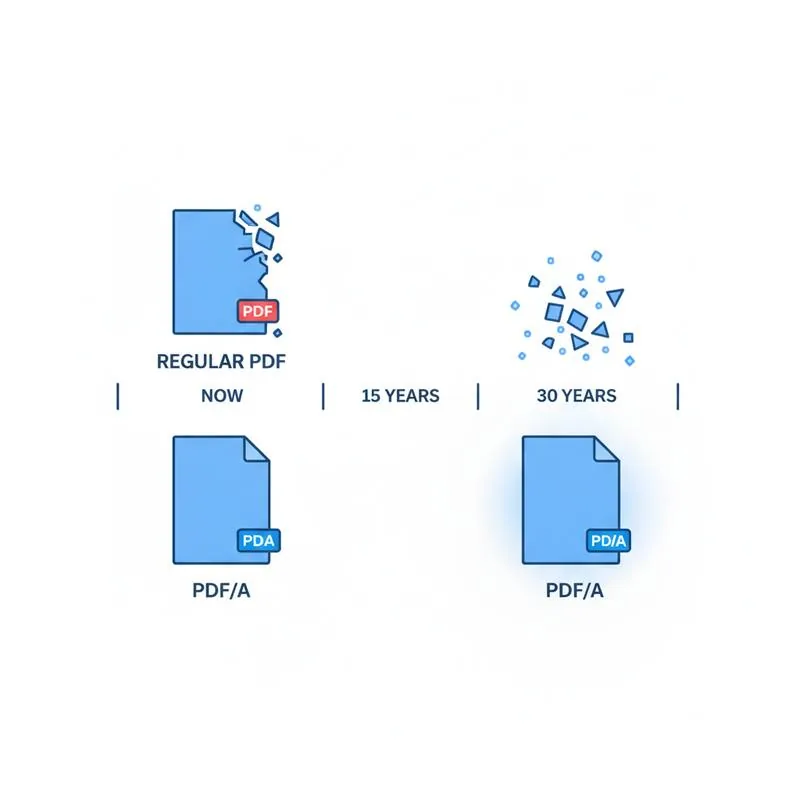
Open a PDF you created fifteen years ago on the same computer you used to make it, and it will probably look fine. But try opening that same PDF in 2040 on hardware and software that does not exist yet, and several things might go wrong.
Fonts: many PDFs reference fonts by name without embedding them, relying on the viewer to substitute a local font. If the viewer's font matching algorithm has changed, or the substitute font has different metrics, text may reflow, overlap, or be replaced with rectangles. Links: PDFs can contain "launch" actions that open external URLs. In 20 years, those URLs will almost certainly be dead. JavaScript: PDF form fields and interactive elements may use JavaScript that was valid in 2010 but is rejected by 2040's PDF viewers for security reasons. Encryption: a file encrypted with a 40-bit RC4 key (common in older PDFs) may be technically broken or simply unsupported.
None of these issues matter for a PDF you are reading today and will discard tomorrow. But for records you are legally required to retain for 7, 10, or 30 years - Contracts, invoices, legal correspondence, HR records - Each one is a ticking clock.
Feature-by-Feature Comparison
| Feature | Regular PDF | PDF/A | Archival Risk |
|---|---|---|---|
| Font embedding | Optional | Required | High - Missing fonts cause garbled text |
| Color profile | Optional | Required (ICC) | Medium - Colors may shift across devices |
| XMP metadata | Optional | Required | Low - Mainly affects cataloguing |
| JavaScript | Allowed | Prohibited | High - Scripts break as viewers update |
| Encryption | Allowed | Prohibited | High - Old encryption becomes unreadable |
| External links (URL) | Allowed | Prohibited (launch) | High - URLs die; links become orphans |
| Embedded multimedia | Allowed | Prohibited (A-1/A-2) | High - Codecs become obsolete |
| Digital signatures | Allowed | Allowed (A-2+) | Low with PDF/A-2 timestamp |
| Layers | Allowed | Allowed (A-2+) | Low with PDF/A-2 |
| File size | Smaller (no embedded fonts) | Slightly larger | N/A |
Recommended Retention Periods by Document Type
Legal retention requirements vary by jurisdiction, but the following table gives broadly applicable guidance for common document categories. Any document with a retention period over five years should be archived in PDF/A to minimize the risk of format obsolescence during the retention window.
| Document Type | Typical Retention Period | Recommended Format |
|---|---|---|
| Tax returns and supporting documents | 7–10 years | PDF/A-1b |
| Contracts and agreements | 6–10 years after expiry | PDF/A-1b |
| HR and employment records | 6–7 years after leaving | PDF/A-1b |
| Corporate financial statements | 10 years | PDF/A-2b |
| Healthcare / patient records | 10–30 years (varies) | PDF/A-2b |
| Building plans and permits | Life of structure + 10 years | PDF/A-2b (layers) |
| Court and legal filings | Permanent | PDF/A-1b minimum |
| Marketing and transactional emails | 1–3 years | Regular PDF acceptable |
When Regular PDF Is Still the Right Choice
Not every PDF needs to be PDF/A. Regular PDF is perfectly appropriate - And often preferable - For short-lived working documents where interactivity matters more than archival permanence.
Interactive PDF forms with JavaScript validation, multimedia-rich presentations, PDFs embedded in web pages with external font references for brand consistency, and documents intended for immediate printing and discarding are all cases where the restrictions of PDF/A would add friction without adding value. The key question to ask is: "Will I or anyone else need to open this document reliably in more than five years?" If the answer is no, regular PDF is fine. If the answer is yes, convert to PDF/A.
Making the Switch: A Practical Archiving Workflow
Adopting PDF/A for records retention does not mean reworking your entire document workflow. The most pragmatic approach is to add a single conversion step at the point where a document transitions from "active working document" to "archived record."
For example: a contract is drafted in Microsoft Word, circulated as a regular PDF for review and e-signature, and then - Once fully executed - Converted to PDF/A for the archive. The final PDF/A version is the one that goes into your document management system with the retention clock ticking.
With PDFBEAR PDF to PDF/A, this final conversion step takes seconds. Upload the executed PDF, select PDF/A-1b, download the archived version. If the document is large, run it through Compress PDF afterward to keep storage costs manageable. If you need to merge multiple related documents into a single archive record, use Merge PDF first, then convert the combined file.
Compare PDF tools
Validate the Archive Copy
After conversion, run the result through the PDF/A Checker before it enters a records system. If the check reports a likely problem, create a fresh archive copy with PDF to PDF/A and review the PDF/A requirements.
 Continue with Google