Forgetting a PDF password is common and not always a dead end. Whether you can recover access depends on the type of lock applied and who applied it.
- PDFs can have two distinct password types: an owner password and a user (open) password.
- Owner passwords restrict editing, copying, and printing - Not opening the file.
- User passwords prevent anyone from opening the file at all without the correct passphrase.
- PDFBEAR’s Unlock PDF tool can remove owner-level restrictions in seconds.
Know which lock you hit before you panic - Most forgotten PDF passwords are the removable kind.
Two Kinds of PDF Passwords (And Why It Matters)
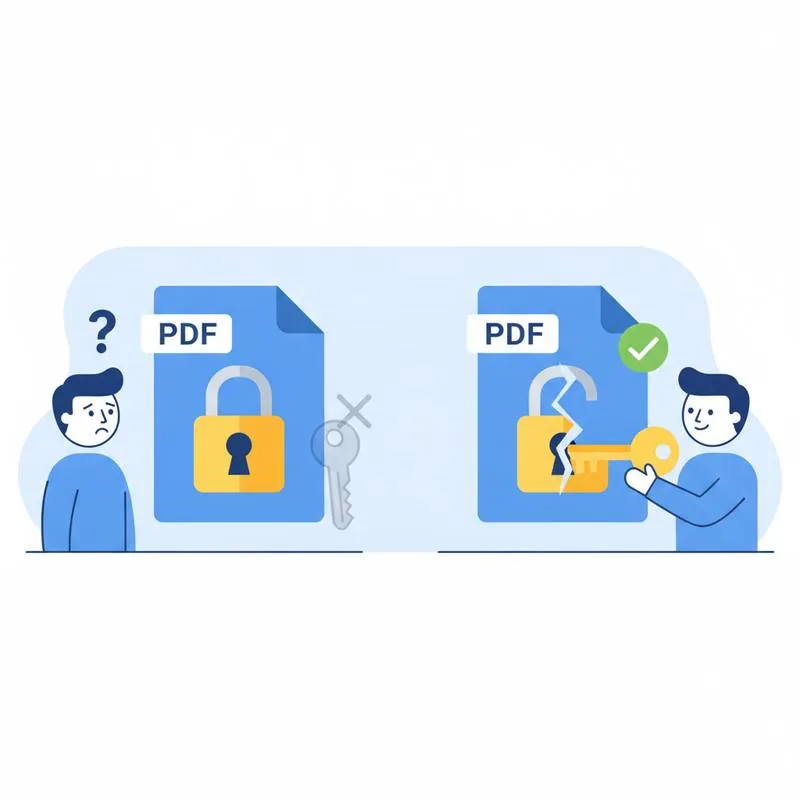
The PDF specification defines two separate layers of password protection, and mixing them up leads to a lot of unnecessary frustration. Understanding the difference is the single most useful thing you can do before trying anything else.
An owner password (also called a permissions password) is set by whoever created the document. It controls what other people can do with the file once it is open - Things like printing, copying text, filling forms, or making changes. If someone sends you a PDF that you can read on screen but cannot print or edit, an owner password is almost certainly the reason. The file opens freely; the restrictions kick in afterward.
A user password (also called an open password or document-open password) is the more serious lock. It encrypts the file contents so that the PDF reader itself cannot render anything without the correct passphrase. When you double-click the file and immediately see a password prompt, that is a user password. Without it, the file is unreadable.
Most everyday situations - Receiving a locked form from a government agency, trying to edit a PDF someone emailed you, printing a report that refuses to print - Involve owner passwords, not user passwords. That distinction matters enormously because the recovery paths are completely different.
What You Can Realistically Do for Each Type
If your PDF opens but then complains when you try to print or edit it, you have an owner password situation and PDFBEAR can help immediately. If the file won’t even open, you need the original passphrase - There is no magic workaround for properly encrypted open-password PDFs.
How to Remove an Owner Password with PDFBEAR
Removing owner-level restrictions takes under a minute using the Unlock PDF tool. The process is entirely browser-based - No software to install, no account required for a one-off file.
Here is the full flow:
- Go to PDFBEAR Unlock PDF.
- Upload your PDF by dragging it onto the page or clicking the upload area to browse your device.
- PDFBEAR detects the permissions password and strips it automatically.
- Click Download to save the unlocked file to your device.
The whole operation happens over an encrypted HTTPS connection. PDFBEAR does not store your files longer than 14 days from last activity for free accounts, and no human ever reviews your documents. If you are uploading sensitive material, that matters.
What to Do When You Cannot Open the File At All
If a user (open) password is blocking access and you genuinely cannot remember it, your options are limited but not zero. Work through this checklist before giving up:
- Check your password manager. If you set the password yourself, there is a good chance your browser or a dedicated app saved it.
- Search your email. Many services that send password-protected PDFs - Banks, utilities, HR platforms - Include the password in the same email or a follow-up message.
- Try common variants. If you set the password yourself, try your usual passwords, date-based combinations, or the last four digits of an account number.
- Contact the sender. If an organization sent you the file, their support team can resend it with a known password or in an unlocked format.
- Look for an unprotected version. Banks and payroll platforms often let you re-download statements or pay stubs through your account portal without a password at all.
Brute-force tools exist that attempt thousands of password combinations per second, but modern PDF encryption (AES-256) makes this approach impractical for any password longer than a few characters. They are generally not worth the time or cost unless the document is critically important and you have a strong idea of what the password might look like.
Owner vs. User Password at a Glance
Protecting Yourself Going Forward
The best cure is prevention. If you are the one setting passwords on PDFs - For contracts, invoices, or personal documents - Build a habit that prevents this problem from recurring:
- Save every PDF password in a dedicated password manager (1Password, Bitwarden, or your browser’s built-in vault) at the moment you create it.
- Use a consistent naming scheme for your password hints, stored in a secure note alongside the file.
- If you are restricting a PDF for someone else, include the password in a separate, secure channel - Not the same email as the file.
- For documents you share via PDFBEAR, consider using Protect PDF to apply a fresh password you control, and pair it with the Share Document feature for link-based access instead of password-based access.
A locked PDF that you cannot open is a frustrating but usually avoidable situation. Identifying the lock type first, then working through the right recovery path, will save you hours compared to trying every tool at random.
Quick Reference
| Symptom | Likely cause | Fix |
|---|---|---|
| File opens but you cannot edit or print | Owner/permissions password | Unlock PDF on PDFBEAR |
| Password prompt appears on open | User/open password | Find the original passphrase or contact sender |
| Form fields are greyed out | Owner password blocking editing | Unlock PDF, then PDF Forms |
| Print option is disabled | Owner password blocking printing | Unlock PDF |
| Cannot copy text from the PDF | Owner password blocking copying | Unlock PDF |
Compare PDF tools
 Continue with Google